 PTB Visuotopic Mapping Settings#
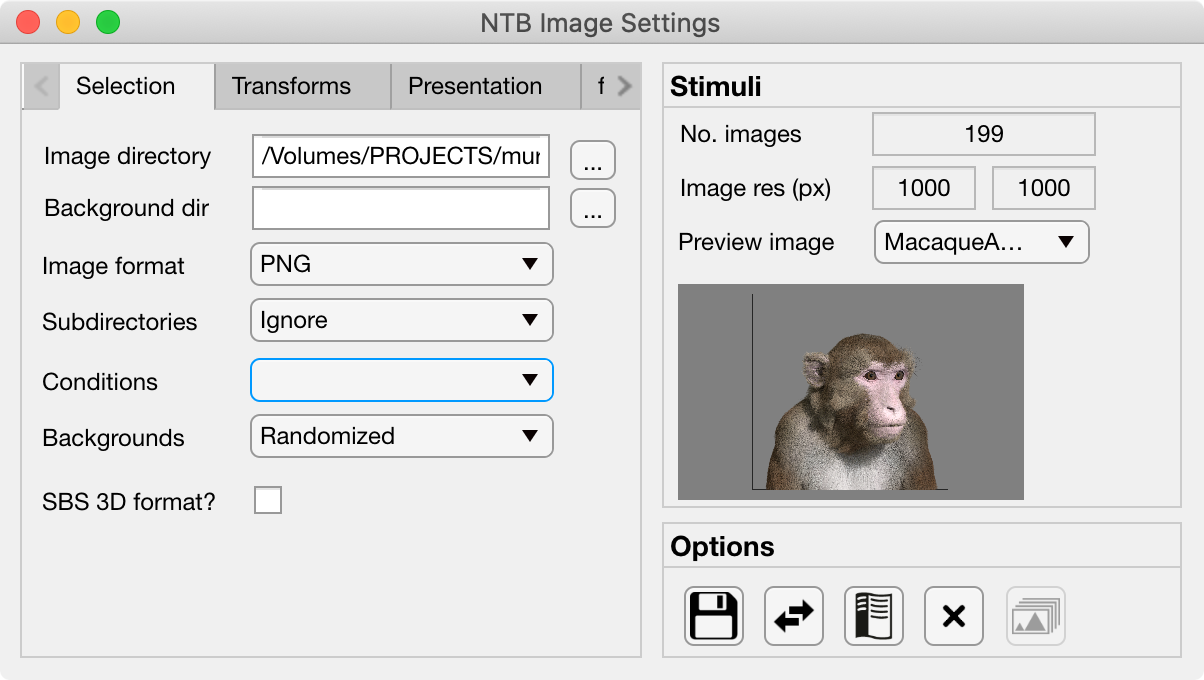
The Visuotopy Settings GUI allows the user to quickly set parameters for visuotopic mapping experiments involving the visual presentation of static images. All variables controlled by the Visuotopy settings GUI are saved to the Visuotopy field of the Params object.
Tabs#
Stimulus Panel#
No. Images:
Image res (px):
Preview image:
Options Panel#
The Options panel is standardized across PTB Settings GUIs and contains buttons with icons indicating their function as listed below. You can also hover the cursor over the GUI buttons to see the tooltips description of each button’s function.
Icon |
Function |
Description |
|---|---|---|
|
Save |
Saves the current Image parameter values to the currently loaded Parameters file. |
|
Load |
Allows the user to select a different Parameters file from the current one, and load only the Image parameters from that file. |
|
Help |
Opens the PTB Image Settings GUI documentation page (this page) in a web browser. |
|
Close |
Closes the PTB Image Settings GUI and returns the updated variables to the Params structure of the main Psych Toolbar. |
|
Load im |
Loads the selected images into PTB textures on the GPU ready for the experiment to run. Only enabled when a PTB window has already been opened. |